
AAPACN To Go – Android Instructions
Here’s your step-by-step guide for adding AAPACN to your Android phone home screen. Then take AAPACN to go wherever you go! Note: These instructions are for Android phones only. Click here for iPhone instructions.
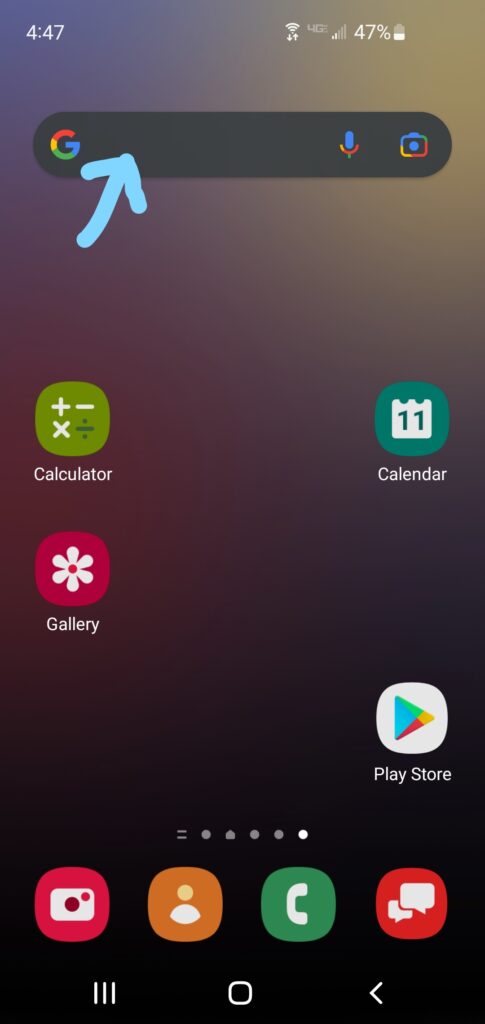
Step 1:
Open your phone’s web browser. On this Android phone, the browser is Google. Your browser icon may be in a different location on your phone.

Step 2:
Go to the AAPACN website by searching for AAPACN.org.

Step 3:
Once on the AAPACN website, select the three dots menu in the top right corner of the screen.
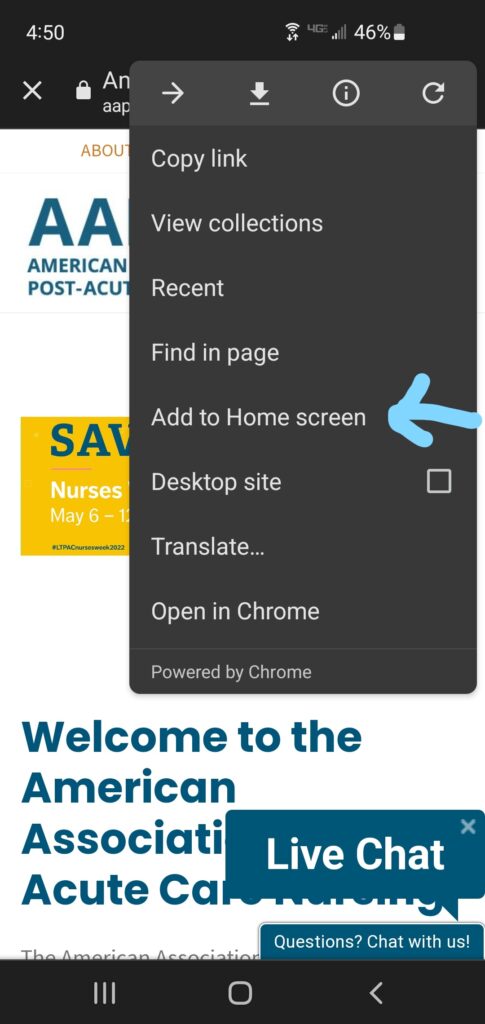
Step 4:
From the three dots menu, select Add to Home screen.

Step 5 (optional):
Change the name of the home screen short cut to AAPACN by typing in the page title bar. Then select Add.
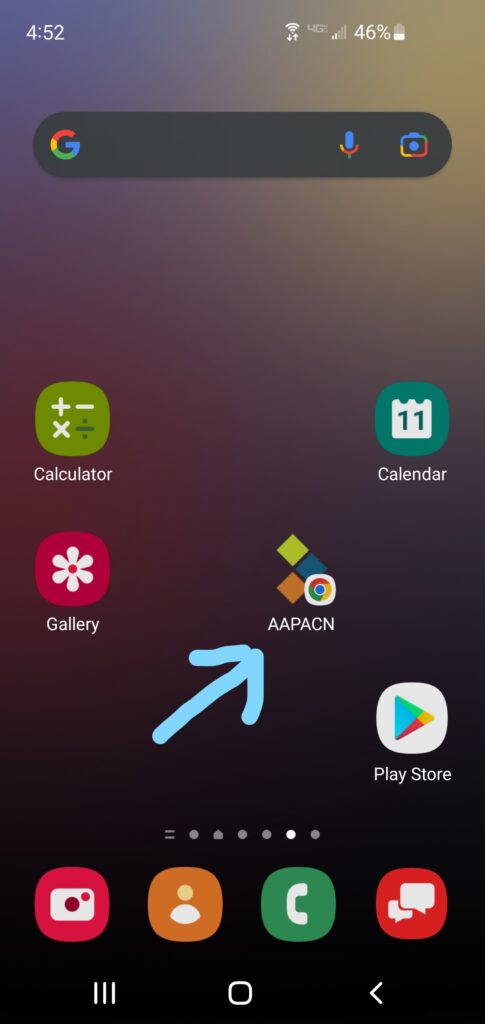
Step 6:
Access AAPACN on the go from you phone anytime by clicking on the AAPACN logo on your phone’s home screen.